What is new in Odoo 20?
Odoo 20, released on September 24, 2026, introduces a fresh new look and a shift from software you operate to software that runs itself. The headline features are AI agents you instruct in plain language to run entire business processes, an AI website builder that creates pages from a single sentence, a 24/7 accounting assistant, continuous-flow manufacturing, and full offline field service, alongside upgrades across CRM, purchasing, eCommerce, Point of Sale, and payroll.
Table of Contents
Odoo 20 Features at a glance
| App | What is new in Odoo 20 | What it means for you |
| Odoo AI | Agents run processes from a plain-language instruction | Routine work runs itself |
| CRM | 580M+ lead directory, IP visitor detection, card scan | A fuller pipeline, less prospecting |
| Communication | Discuss unifies chat, video, and WhatsApp; auto-transcribed calls | One place, nothing dropped |
| Purchasing and inventory | AI vendor advice, auto min/max plus a drafted PO, auto bill matching | Buy smarter, fewer surprises |
| Manufacturing | Continuous production, Gantt rescheduling, Kanban priorities | Less idle time on the line |
| Website | Pages built from a prompt, AI snippets, one-click SEO | A site without a developer |
| eCommerce | Pay on Invoice, delivery-date choice, portal returns | Fewer checkout drop-offs |
| Point of Sale | Redesigned floor plan, auto-building combos, dish snooze | Faster service |
| Field Service | Now inside Planning, live crew map, full offline mode | Schedules that hold, even off-grid |
| Accounting | AI assistant, reconciliation audit, pay bills from Odoo | An expert on call |
| Payroll | Warnings dashboard, test pay runs, salary simulation | Fewer payroll errors |
All you need to know about Odoo 20 Release
Does Odoo 20 have AI, and can it automate processes?
Yes. The biggest change in Odoo 20 is that you can automate an entire business process just by describing it to an AI agent in plain language. The agent explains exactly what it is about to do, then runs it on its own, with no scripting required.
This is the shift from software you operate to software that works for you. The routine tasks you do by reflex can now run themselves: auto-confirm a sales order the moment the matching email arrives, assign each lead to the right salesperson, spin up a project the second a contract is signed, or get pinged when stock runs low.
If it is a process, the agent can run it, which turns the busywork that fills your day into something the system handles in the background.
Can you connect an external AI tool to Odoo 20?
Yes. If you prefer your own AI tool, you connect your Odoo database once and it can securely read and write your data, with all your access rights intact.
That means the AI assistant your team already uses can work directly with live Odoo data, safely, rather than you copying information back and forth. It is what makes Odoo 20 a genuine hub for AI-driven work rather than a closed box.
How does Odoo 20 Sales App help you generate more leads?
Odoo 20 fills your CRM with far less manual effort by giving you a searchable directory of more than 580 million businesses and contacts, plus tools that turn everyday touchpoints into opportunities.
Target the industries and locations you want and generate leads in a few clicks. Turn anonymous website visitors into prospects with IP detection, import contacts straight from Outlook or Gmail, or scan a business card to create an opportunity on the spot.
If you run several pipelines, every new lead lands in the right one automatically, so nothing slips between boards. You spend less time prospecting and more time selling.
Odoo 20 CRM Improvements for team collaboration & communication
Odoo 20 pulls chat, channels, video calls, AI, live chat, and WhatsApp into one place in Discuss, and adds browser-based video calls with automatic transcription.
Run a quick poll to settle a decision, or start a video call a client joins straight from their browser with no download and no login. Record the call, share your screen, and when you finish it is transcribed automatically, so you can click any line to jump back to that moment.
For inbound calls, Phone lets you build a call flow in minutes routing by hours, location, or team, buy and assign numbers in a few clicks, switch a live call to another device without dropping it, or transfer it to a colleague who is free.
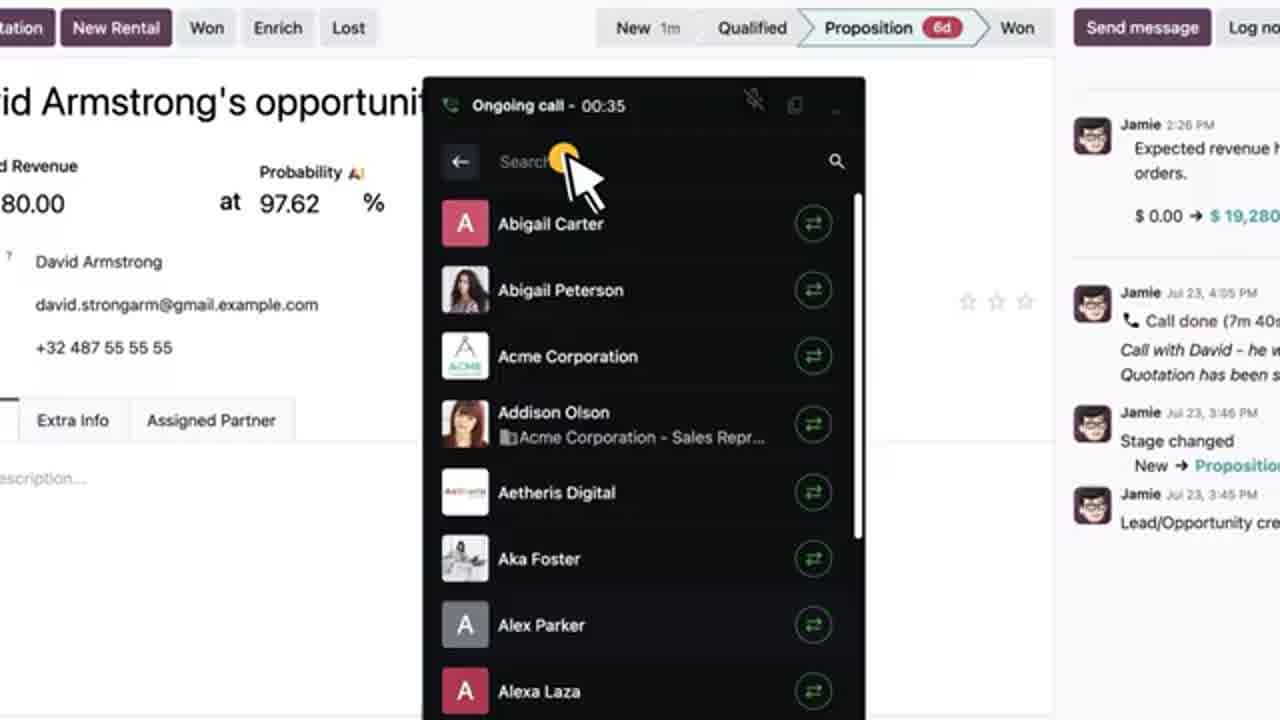
Wherever the team is, everyone stays in the loop.
What is new in Odoo 20 purchasing and inventory?
Odoo 20 makes buying proactive. It suggests which vendors to renegotiate with, calculates efficient stock levels from recent sales, and drafts purchase orders for you.
Ask your AI agent which vendors are worth renegotiating with and it reviews your purchase history to tell you where you stand. Odoo calculates minimum and maximum stock levels from your last 30 days of sales and drafts the purchase order.
Check a vendor’s quality rating before you order, let Odoo match bills to purchase orders and flag discrepancies automatically, and have it detect and repack shipments that arrive differently than you store them. Even the shelf labels were redesigned.
The result is buying with less guesswork and fewer surprises.
What is new in Odoo 20 manufacturing?
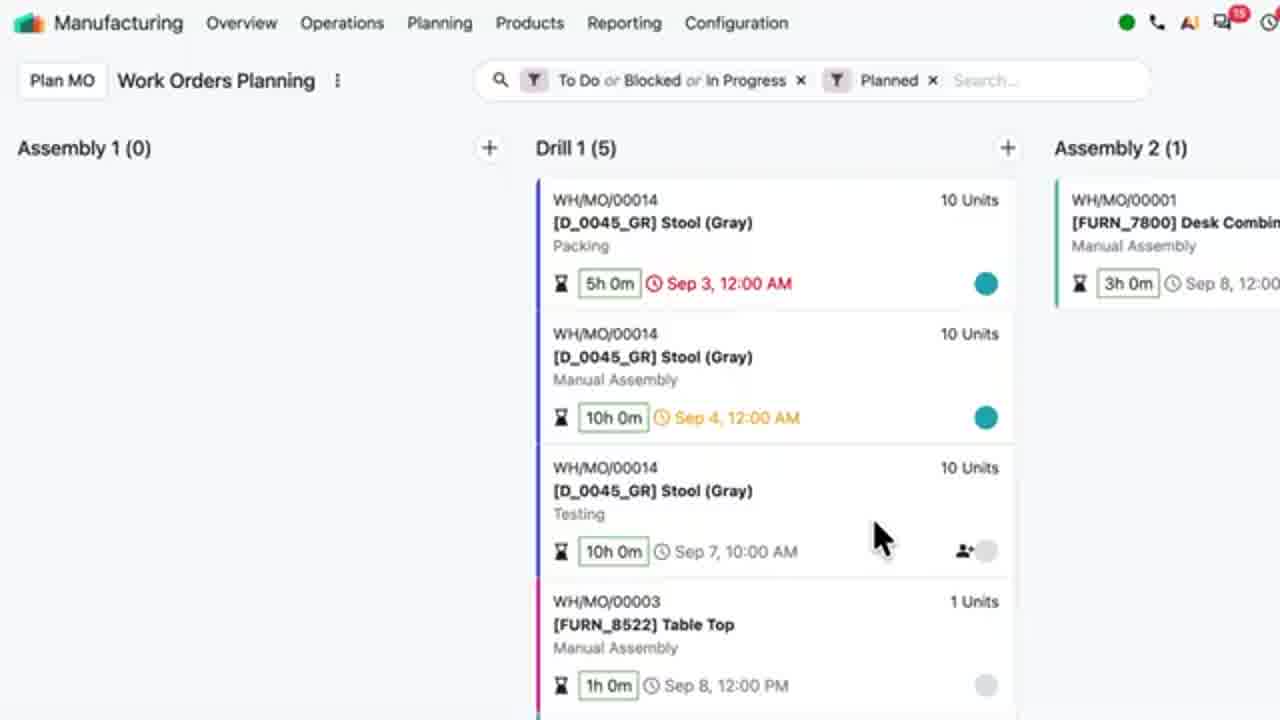
Odoo 20 keeps the line moving with continuous production, so finishing one work order automatically releases the next, and it makes scheduling visual with Gantt and color-coded Kanban views.
Operators register quantities directly from work orders, which releases the next one in line so operations never sit waiting.
You can compare bills of materials side by side, reschedule manufacturing orders on the Gantt view with or without buffers, and manage priorities by dragging cards on a new color-coded Kanban view, so what is urgent is always obvious.
Odoo AI Website Builder in Version 20
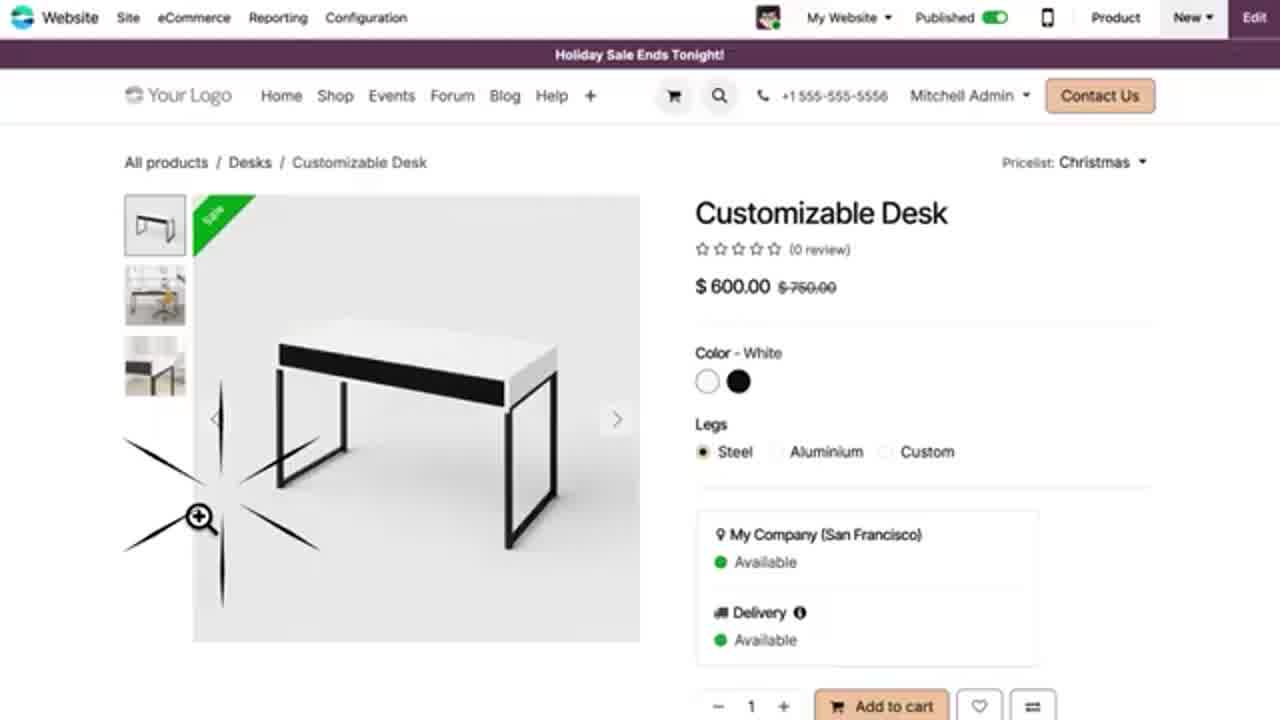
In Odoo 20 you describe the page you want and the AI builds it for you instantly, including promotions, events, and product pages, and it creates any missing building blocks, even interactive ones.
Change copy, translate content, and optimize SEO with a single click, all inside a new editor layout that keeps your options organized and easy to find. For a small team, it is the closest thing to a web designer on call without hiring one.

What is new in Odoo 20 eCommerce?
Odoo 20 smooths the buying journey with a checkout progress bar toward free shipping, delivery-date selection, self-service returns, and a new Pay on Invoice option.
Customers can filter pickup points by country, see variant thumbnails on the product page, pick their delivery date at checkout, request a return straight from their portal, and confirm an order without paying immediately.
Each of these removes a reason to abandon a cart, so more orders reach completion.
What is new in Odoo 20 Point of Sale?
Odoo 20’s Point of Sale is built for service speed, with a redesigned floor plan editor, combos that build themselves, and one-tap dish availability that syncs POS and online instantly.
Staff can snooze an unavailable dish with a single tap, updating both POS and online orders at once, and customers can leave a note at checkout that appears right on the kitchen screen.
How does Odoo 20 field service and offline mode work?
Field Service now lives inside Planning, with drag-and-drop scheduling, automatic travel-time calculation, a live crew map, and a full offline mode that syncs when the connection returns.
Drag interventions onto the calendar, switch to map view to track your crew’s live location, and see every calendar you use, Google, Outlook, and more, in one view.
If the team loses signal on-site, Odoo now works completely offline: view, edit, and create records, and everything syncs the moment you are back online.
What is the Odoo 20 accounting assistant?
The Odoo 20 accounting assistant is an AI agent you can ask anything about your finances, from receivables to cash flow, and it answers straight from your reports. It can also audit reconciliation and let you pay bills directly from Odoo.
Suspect a reconciliation error? Odoo runs a full audit, cycle by cycle, and hands you a clear summary with recommendations.
Instead of juggling payment files and bank portals, you can pay your bills directly from Odoo, one at a time, in bulk, or sign now and pay later. It is like having an accounting expert available around the clock.
What is new in Odoo 20 payroll?
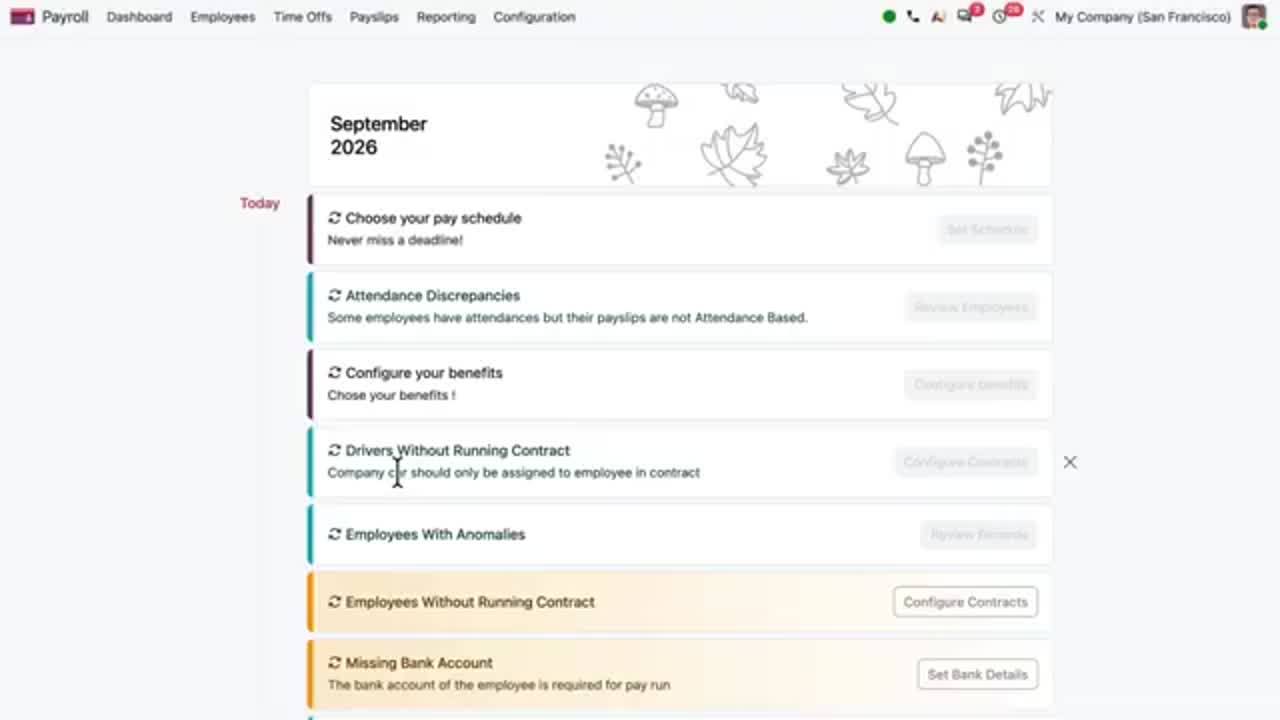
Odoo 20 payroll is built to catch problems before a pay run, with a warnings dashboard, test runs, and salary simulation.
A redesigned dashboard highlights setup warnings before they become issues.
You can test a pay run and print pay slips before validating, define working schedules by hours per day, work backwards from a target net salary to estimate total cost, and simulate any employee’s salary from their profile. Expenses now feed directly into payroll.
Odoo 20 vs Odoo 19: what changed?
Odoo 19 introduced AI that could answer questions about your data. Odoo 20 turns that AI into agents that take action and run entire processes, adds an AI website builder and accounting assistant, and refreshes the interface across the platform.
If Odoo 19 made your data smarter to ask about, Odoo 20 makes the work itself run on its own. The practical difference for a business is less manual process work, more automation you can set up in plain language, and a more modern day-to-day experience.
When should you upgrade to Odoo 20?
Odoo 20 was released on September 24, 2026, at Odoo Experience 2026. If you want the new AI automation and the refreshed experience, it is worth upgrading, after a technical assessment of your customizations and integrations.
If you already run Odoo, plan the move rather than rushing it: the AI agents build on the Odoo 19 foundation, so a clean assessment first makes the upgrade smooth.
But if you’re not a current Odoo user and are evaluating it, Odoo 20 sharpens the case, because AI is woven through every module and the automation lives in the same platform as your operations.
Planning an Odoo 20 upgrade, or a first move to Odoo?
Talk to our team about the right version, features, and timeline for your business.
Frequently asked questions
Does Odoo 20 have AI?
Yes. Odoo 20 puts AI agents across the platform. You can instruct them in plain language to run processes, generate leads, build web pages, and answer accounting questions.
Can Odoo 20 automate business processes with AI?
Yes. You describe the process to an AI agent, it explains what it will do, and then it runs on its own, for example auto-confirming orders, assigning leads, or alerting you when stock runs low.
Can Odoo 20 build a website with AI?
Yes. Describe the page you want and Odoo builds it instantly, including product, promotion, and event pages, and the AI creates any missing snippets.
Is it worth upgrading from Odoo 19 to Odoo 20?
If you want AI-run processes, the AI website builder and accounting assistant, and the refreshed interface, yes, with a technical assessment of your customizations first.