The Odoo 20 roadmap has been officially released. This article gives you a complete walkthrough of Odoo 20 expected features.
Odoo Upgrade Process
Table of Contents
Expected Features of Odoo 20
AI in Odoo 20
AI is not a chatbot layer in Odoo 20. It appears as a functional participant across accounting, website building, record management, helpdesk, and marketing, taking actions, not just making suggestions.
AI Audit Agent for Accounting
An AI agent runs through an entire quarter’s treasury and finance checklist autonomously: reviewing bank statements, flagging anomalies, checking reconciliation, and delivering structured findings.
AI Lead Management in Odoo CRM
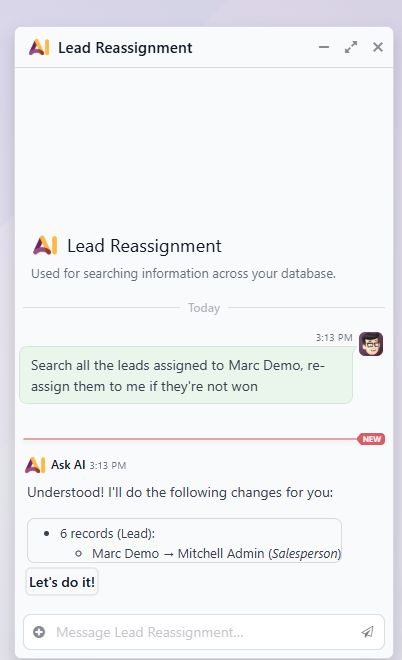
Create and update records via natural language
Three confirmed agentic capabilities: bulk lead reassignment, project creation from a PDF document, and live operational queries across modules. These are agentic actions on real data, not UI demonstrations.
AI Website Builder in Odoo 20
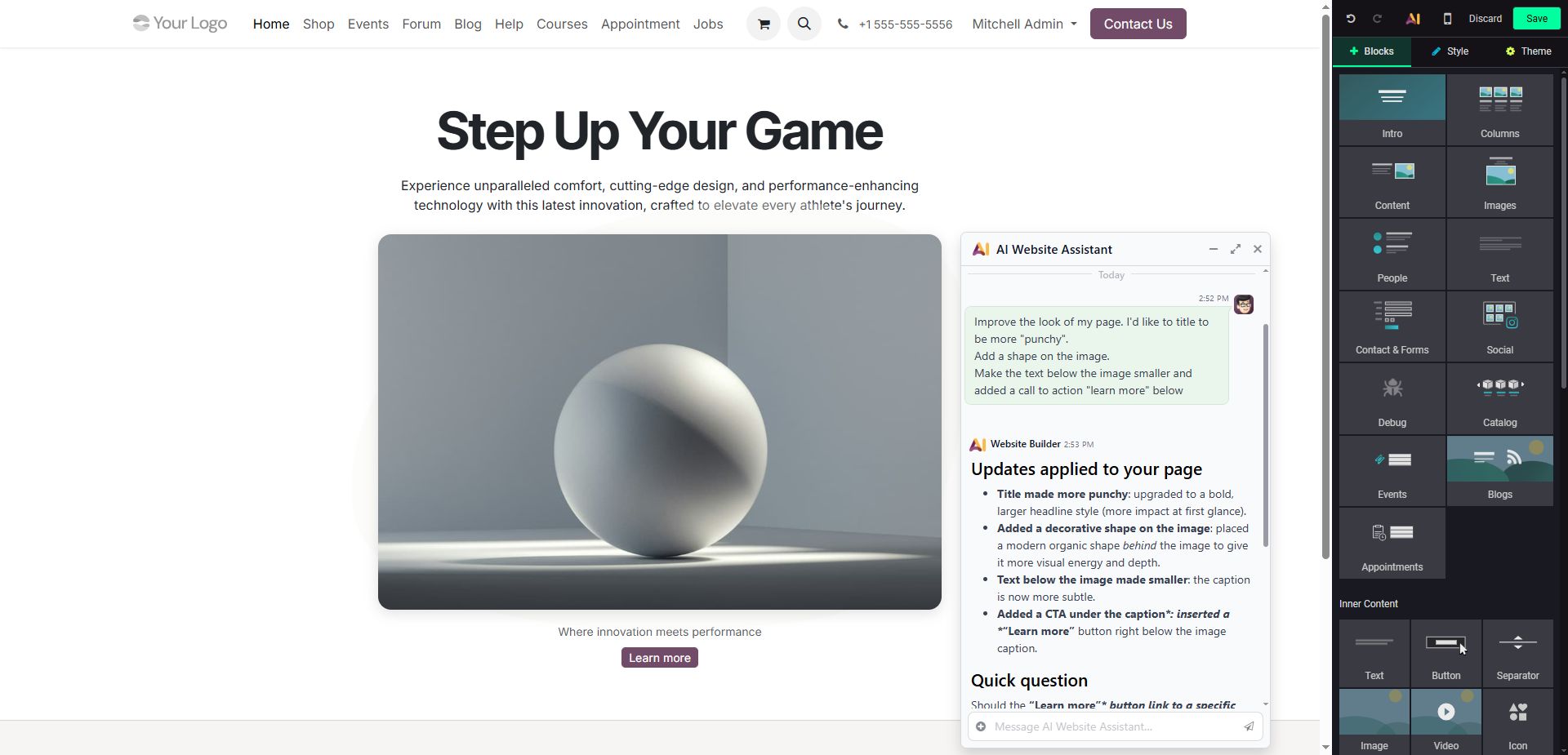
The AI Website Assistant accepts multi-step instructions in a single prompt and applies all changes at once. It also generates contextually appropriate images on demand.
Helpdesk AI in Odoo 20
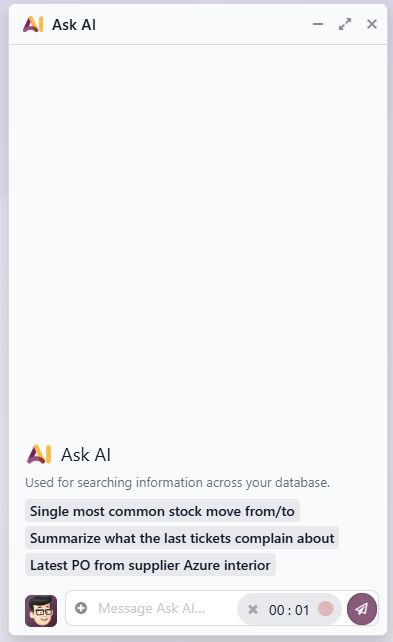
Every helpdesk ticket gets an AI sidebar that can summarize the chatter conversation, draft a follow-up answer, and find a solution based on similar past tickets. For support teams handling volume, this compresses resolution time by surfacing relevant precedent instantly.
Odoo Sales Features Roadmap for Version 20
Product improvements + quote enhancements
Confirmed improvements: tag management, variant image management, extra fields and specifications on products, country selection on order lines, fulfillment without stock.
Section templates for reusable quote structures, UOM price rules, new customer promo mechanics, loyalty point expiration, Pay on Invoice, pricelist restrictions per provider. Sale Order portal redesign, editable margin on sales order lines, product variants simplification, and payment flow improvements.
Odoo 20 CRM Features
Multi-pipeline + new mail plugins + auto-assignment
Multi-pipeline management is confirmed- teams managing different sales processes can now maintain separate pipelines natively. New mail plugins for Gmail and Outlook. Improved auto-assignment rules for leads and opportunities.
Buy numbers in 100+ countries + visual callflow + call transcripts
Purchase local phone numbers in 100+ countries directly from within Odoo.
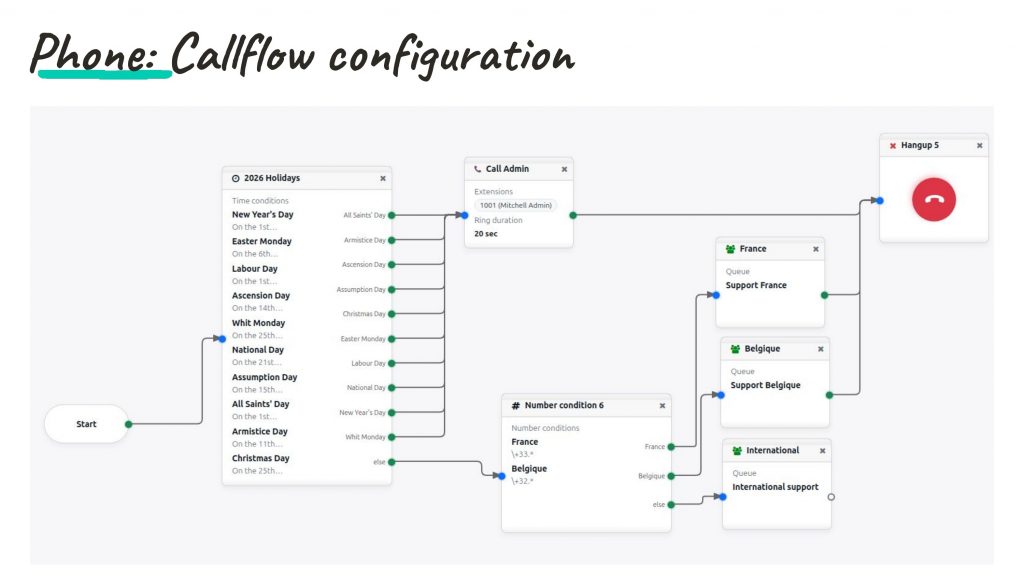
A visual callflow configurator lets businesses define routing logic using a drag-and-drop node editor- time conditions, number-based routing, queue assignments by region.
Every call is stored with full audio playback and a synchronized, searchable transcript linked to the CRM or Helpdesk record.
Marketing Automation in Odoo 20
Multi-channel campaign builder
The Marketing Automation step builder expands significantly, now including WhatsApp, coupon, AI action, split, filter, delay, and interaction steps alongside email and SMS. Dynamic mailing lists, new mailing blocks and templates, and the ability to add contacts to lists directly from campaigns. Social Marketing gets Post Stories, scheduled first comments, and new automation actions.
Odoo 20 Accounting Features
Pay from Odoo
Select vendor payments in batch, click Pay Now, authenticate with a single signature, and the batch is sent directly to the bank or generate the SEPA XML for manual upload. Eliminates the round-trip of exporting payment files and re-uploading to banking platforms.
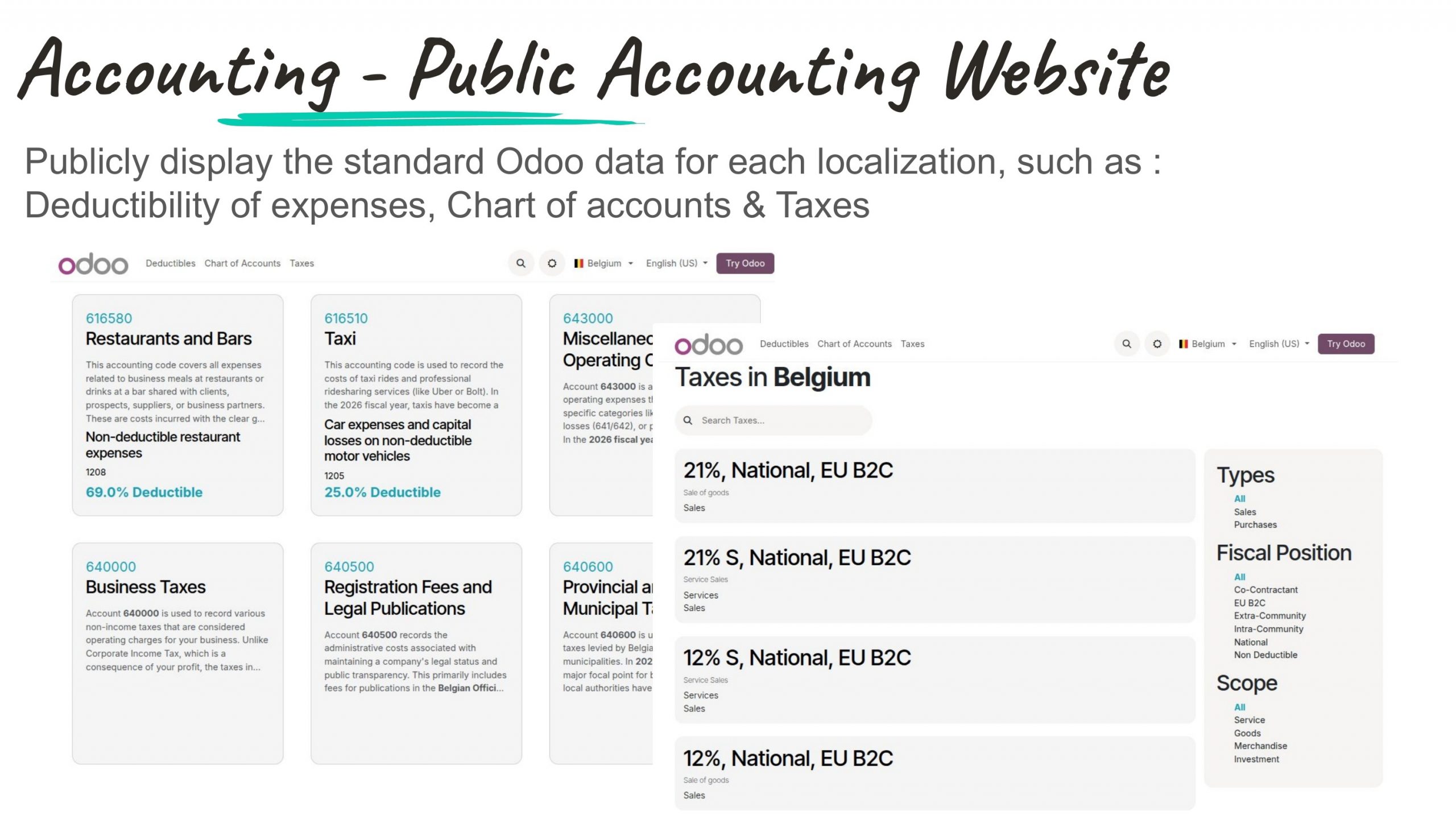
Publicly display standard Odoo data for Each Localization
Odoo publishes localized chart of accounts, tax rates, and expense deductibility rules as a publicly accessible reference website, searchable by country. Useful for businesses verifying local compliance requirements and for accountants onboarding clients.
Dynamic Tax Display + Multiple partner IDs + Universal Reconciliation
Three precision improvements:
- Define tax-inclusive or tax-exclusive pricing per product, switchable dynamically on individual documents.
- Store multiple IDs per partner: VAT, company registry, LEI, with format validation.
- Any general ledger account can now be reconciled, with automatic FX difference or revenue deferral adjustment entries.
Odoo 20 eCommerce Expected Features
Return management, auto cross-sell, & more
Customers can now initiate self-service returns directly from the portal- selecting items, specifying reason, submitting, without contacting support.
Confirmed Odoo 20 Ecommerce Features:
- Automated cross-sell recommendations
- Standalone catalog pages
- An eCommerce dashboard with rating request flows, and a promotion progress bar showing customers how close they are to unlocking a deal.
New Payments Methods in Odoo 20
New marketplaces and payment providers
- New marketplace integrations: TikTok and Lazada, plus a marketplace engine for custom builds.
- New payment providers: ECPay (Taiwan), Xendit (Singapore), PayWay (Cambodia), QF Pay, Belvo, and Kueski (LATAM).
- Additional Payment methods include- tokenization and manual capture in several providers.
Payroll Updates in Odoo 20
New Odoo Payroll Dashboard
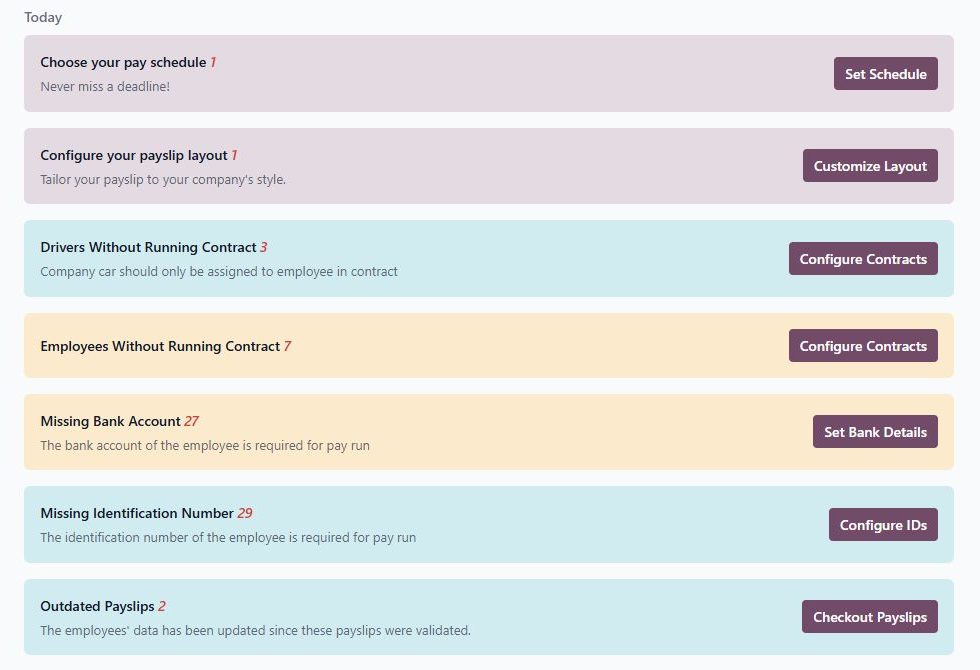
Surfaces everything that would block a pay run- employees without contracts, missing bank accounts, missing identification numbers, outdated payslips as actionable items before the run begins.
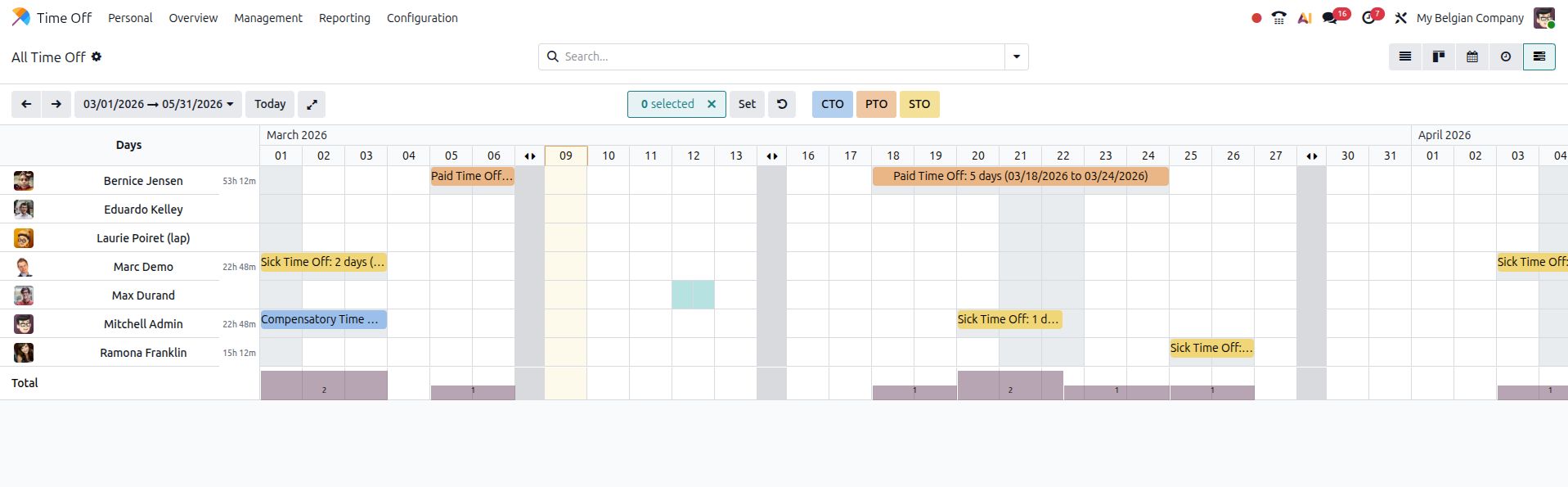
Leave and attendance data now flows directly into payroll in Odoo 20.
The intermediate “work entries” step between Time Off/attendance data and payslip generation is eliminated. The new Pay Runs view provides a structured three-step flow (Employees → Time → Payslips), making payroll processing a clean, auditable cycle. This means, leave & attendance data will be directly fetched into payroll.
Odoo 20 POS Updates
POS receives more confirmed updates in Odoo 20 than any other module, covering hardware, combos, floor planning, and general operations.
Smoother POS Hardware setup in Odoo 20
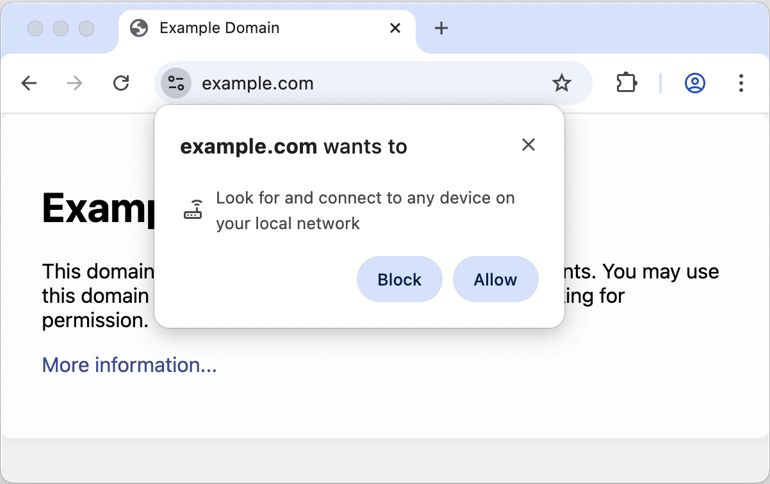
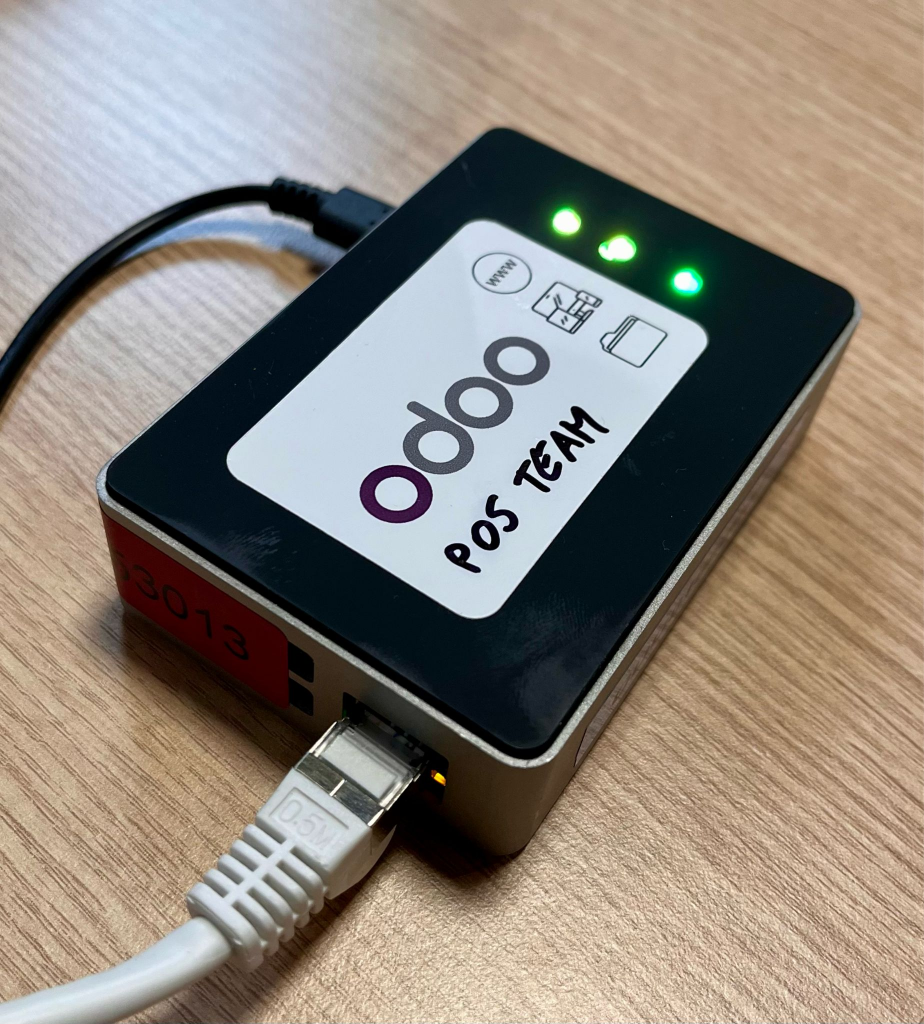
Odoo 20 uses the browser’s local network access API to detect and connect to POS hardware automatically, no certificate imports, no IoT box setup friction. Printer configuration is dramatically simplified.
Odoo 20 uses the browser’s local network access API to detect and connect to POS hardware automatically, no certificate imports, no IoT box setup friction. Printer configuration is dramatically simplified.
Note: iOS is not yet supported for local network device detection.
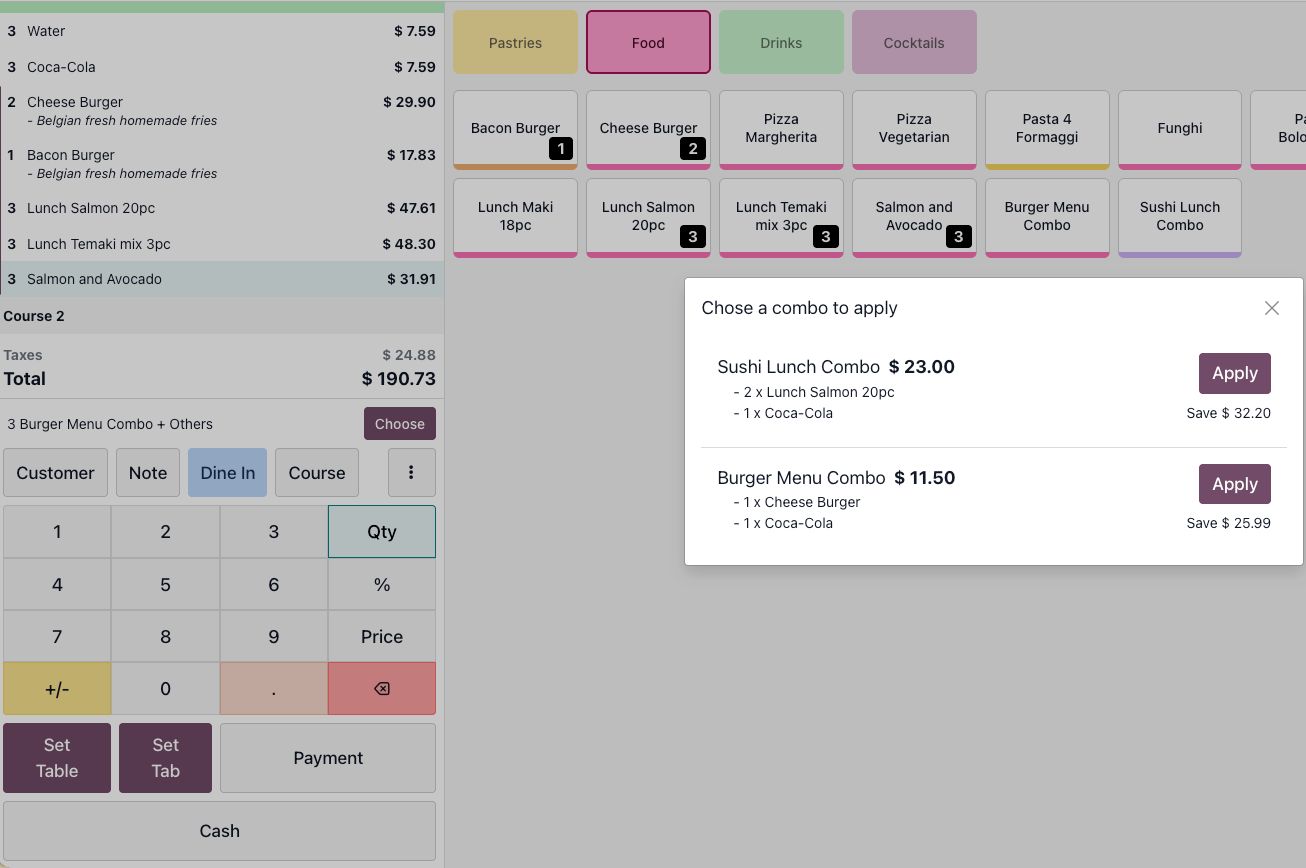
Combos applied automatically in Odoo 20 Point of Sale Application
When a customer’s order qualifies for a combo deal, the POS detects it and proactively shows the option with price savings and letting staff apply it with one tap. Prevents revenue leakage from applicable promotions going unnoticed.
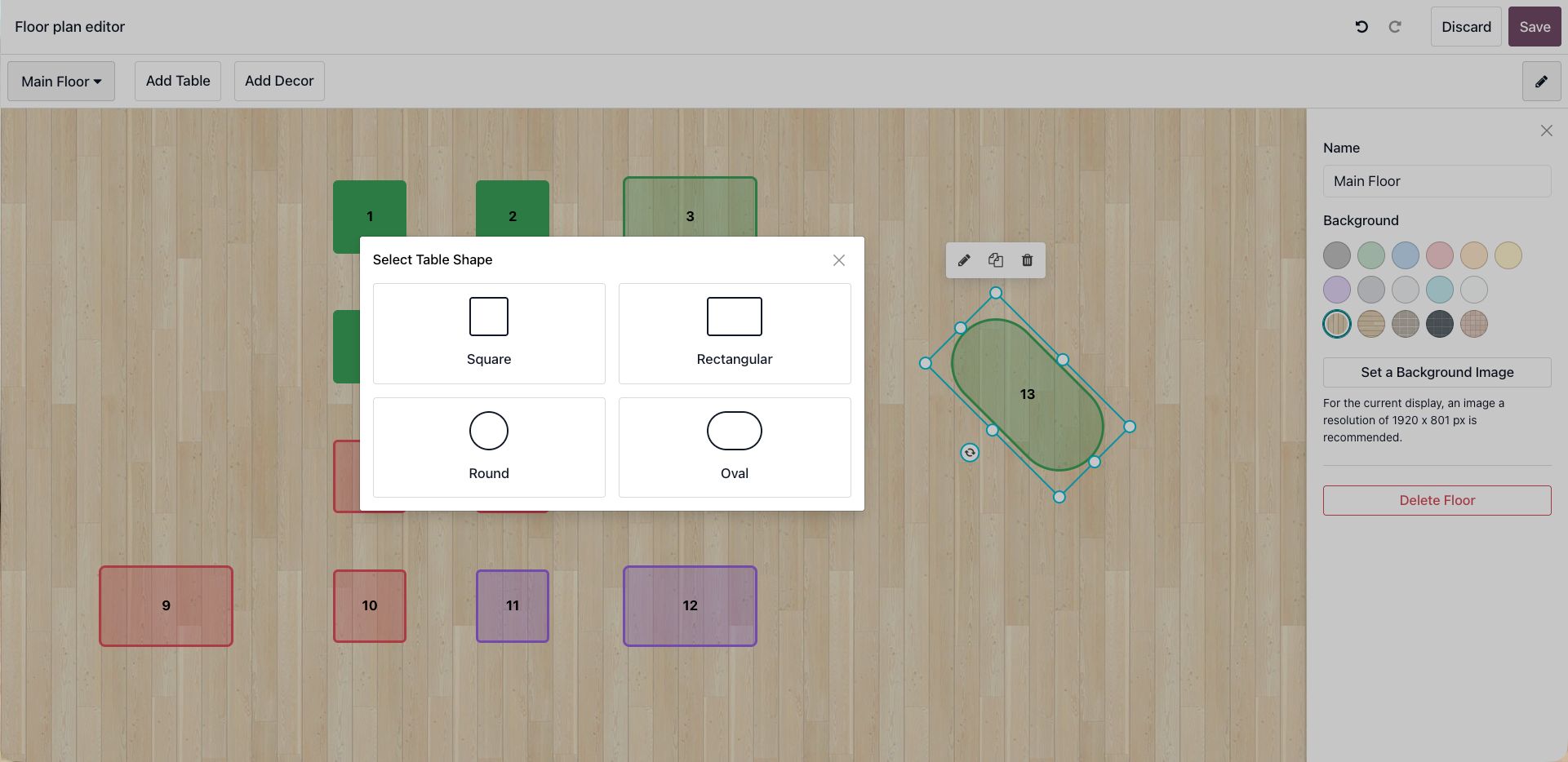
New POS Floor Plan Editor in Odoo 20
Restaurants get a drag-and-drop floor plan editor with multiple table shapes (square, rectangular, round, oval), background image upload, and color-coded sections. Replaces a more limited configuration experience.
Snooze product availability + other improvements
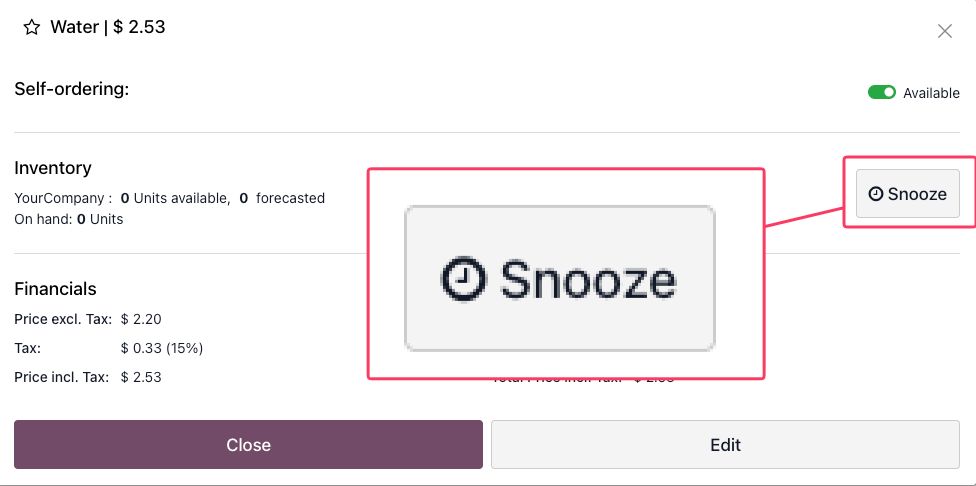
Staff can snooze a product, removing it from the self-ordering menu for the current session without touching the global product setup.
New Odoo POS kiosk mode payment terminals will be introduced in Version 20
All payment terminals work with kiosk mode, reduced browser RAM usage, automatic course allocation (starters/mains/desserts), and new payment integrations including Mollie, M-Pesa, and Wero.
Odoo 20 Mobile Updates
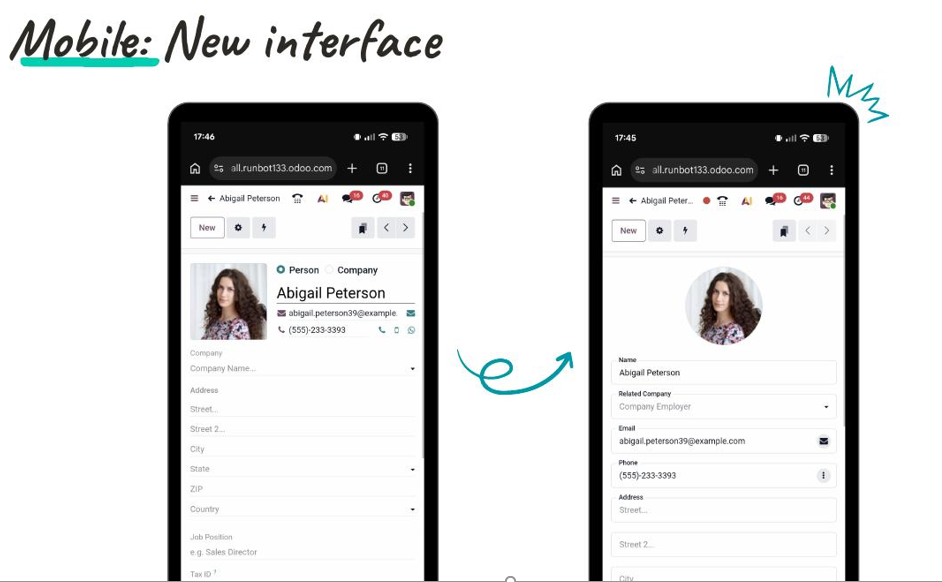
Completely redesigned Mobile Interface
A ground-up rethink of the mobile experience- not an adaptation of the desktop view, but a purpose-built mobile interface. Prominent avatar display, cleanly stacked fields with visible labels, no horizontal scrolling, and proper touch targets. Critical for field teams, warehouse staff, and delivery personnel using Odoo on a phone as their primary device.
Calendar Management in Odoo 20
Multi-calendar management in Odoo
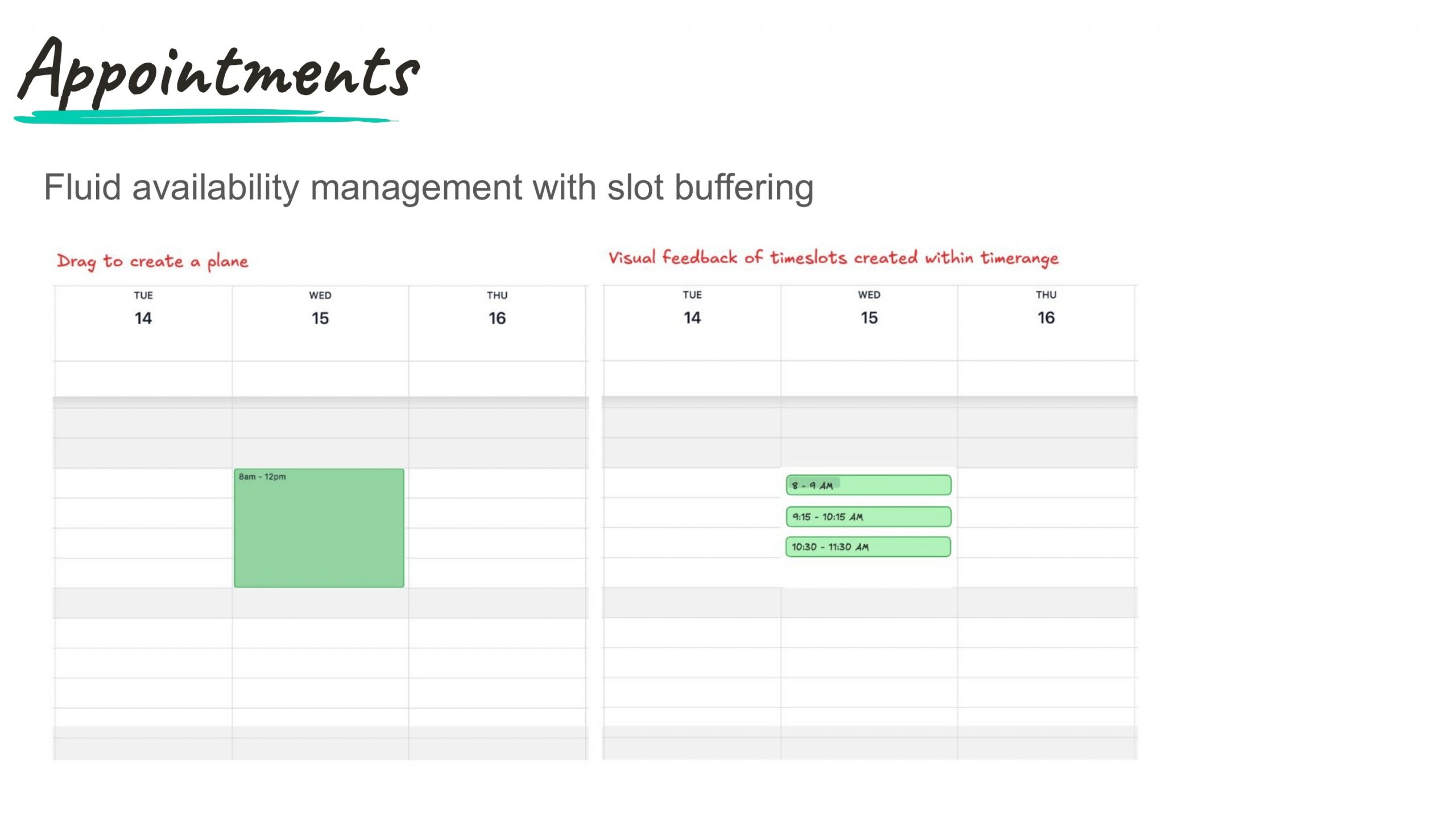
Create multiple calendars and synchronize them, see colleagues’ calendars, create personal booking pages, synchronize work locations, and integrate with multiple Google or Outlook calendars simultaneously. Fluid availability management with slot buffering for appointments.
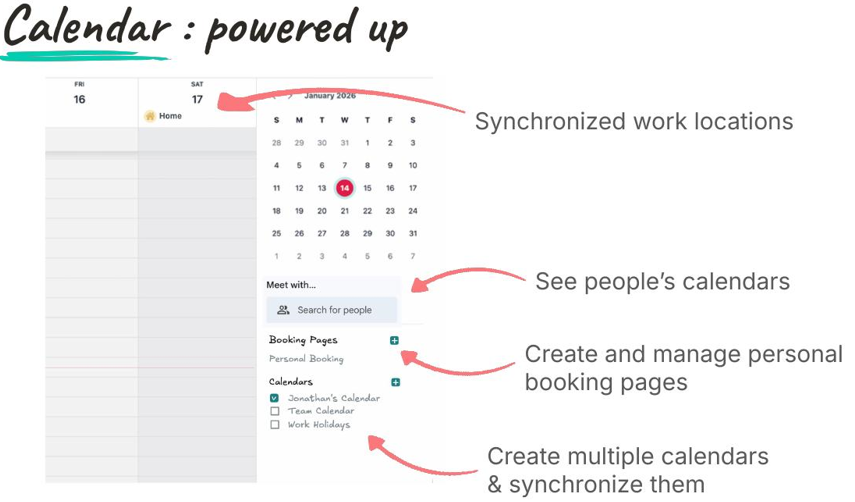
Smarter time detection and activities in view
Type “11am meeting” as an event title and the calendar automatically sets the correct time. Activities from across Odoo are now visible directly in the calendar view with pending activity counts shown per day.
Odoo 20 Timesheet Updates
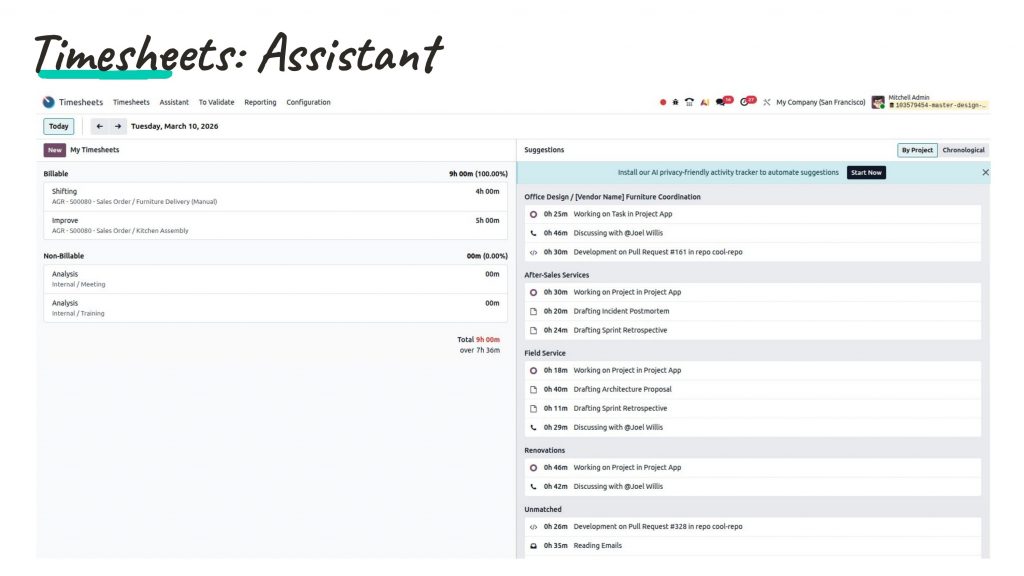
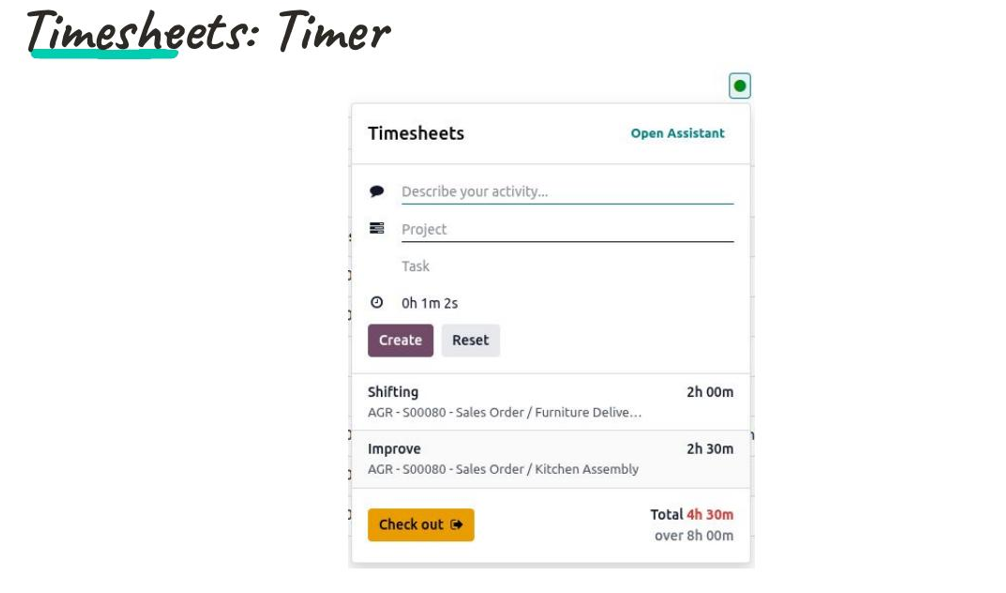
AI Assistant in Odoo Timesheet
A timer widget is now accessible from anywhere in the Odoo interface, helping you describe the activity, select the project, start timing without navigating away. The AI Timesheet Assistant suggests time entries based on actual system activity (tasks worked on, messages sent, pull requests opened), organized by project.
Manufacturing Updates in Odoo 20
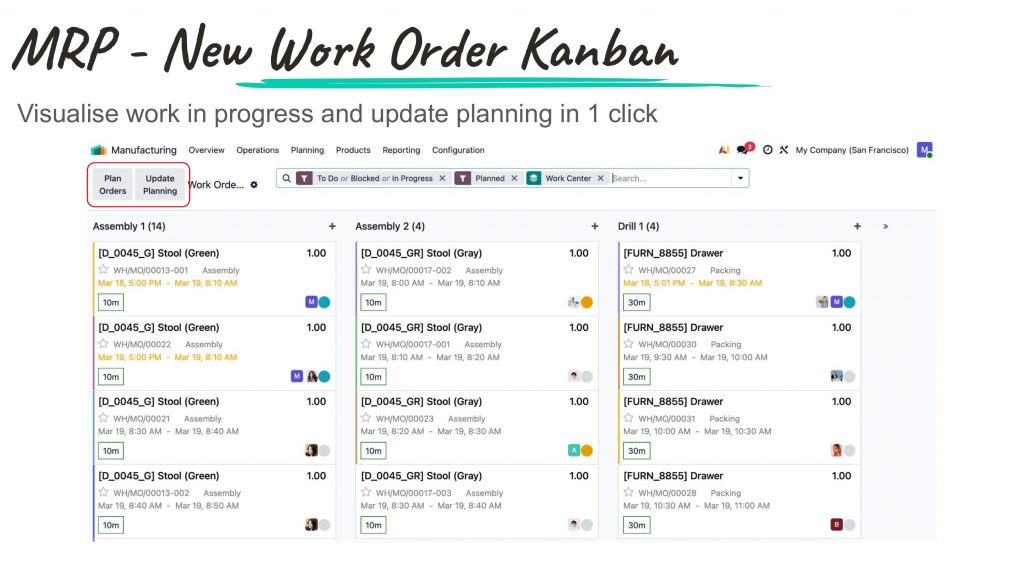
New MO Kanban + Work Order Kanban + PLM ECO report
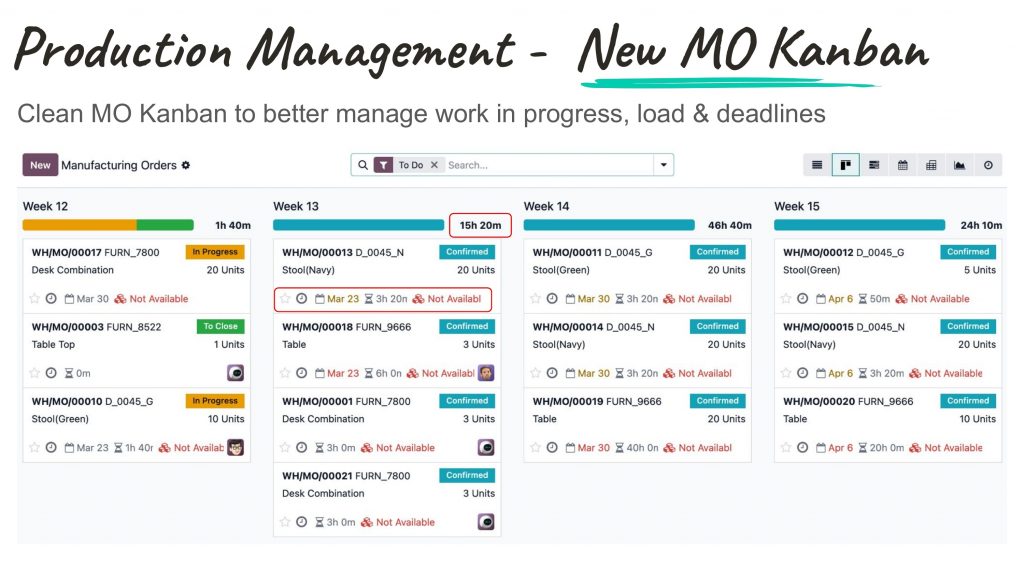
A new Manufacturing Order Kanban groups MOs by week with capacity load bars and deadline indicators. The Work Order Kanban lets shop floor managers visualize work in progress per work center and update planning in one click. The PLM ECO Overview Report consolidates all engineering change impacts-component additions, removals, and BOM cost delta in a single report.
Expected Odoo 20 Inventory Features
Simplified stock model + operational improvements
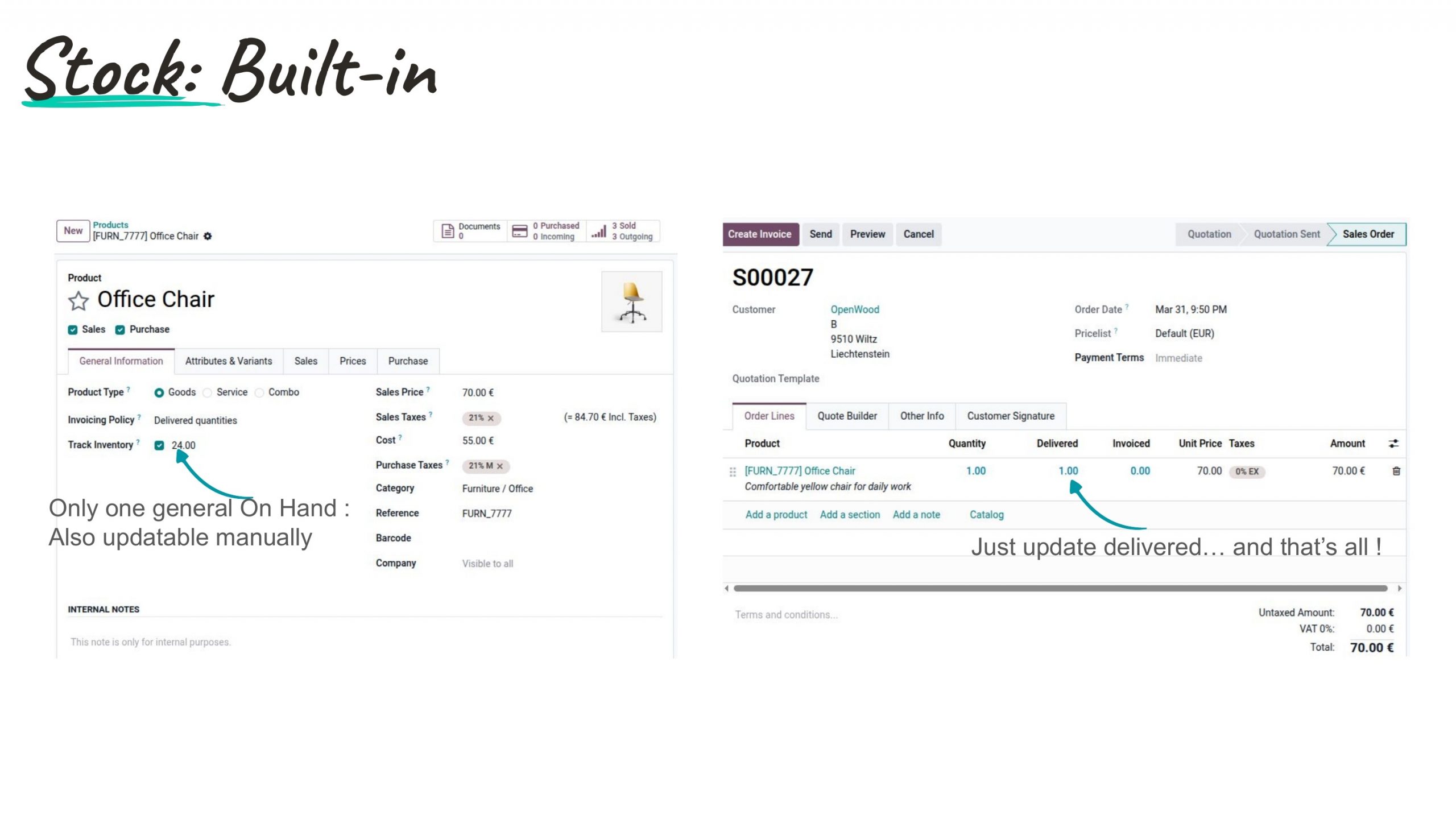
A simplified stock model allows products to track a single “On Hand” quantity updatable manually, useful for businesses without full warehouse routing.
Additional confirmed: redesigned labels for products and lots, perpetual inventory valuation improvements, inter-company and inter-branch improvements, improved putaway rules, batch and wave improvements, and pre-encoded packages for receipts scannable in barcode.
Odoo Field Service is now Odoo Planning
Odoo Field Service is merged with Planning App in Odoo 20
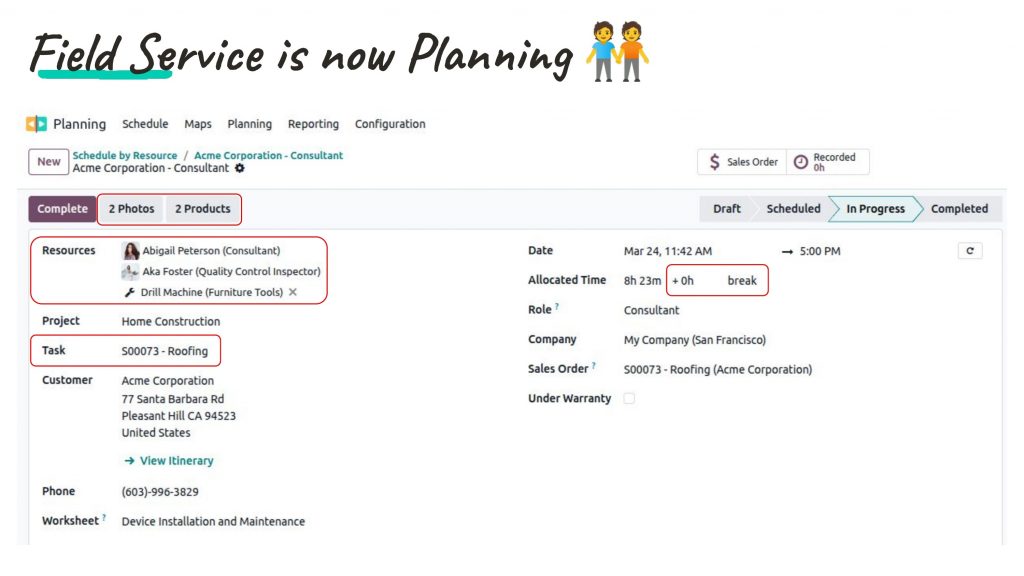
Field Service is renamed and unified with Planning, creating a single module for resource scheduling (people and equipment). Confirmed additions: travel time in Gantt view, routing optimization in map view, live technician map, material assignment to employees, and customizable worksheet properties.
Odoo 20 Features for Documents & Knowledge App
Odoo 20 Expected Features for Documents & Knowledge App
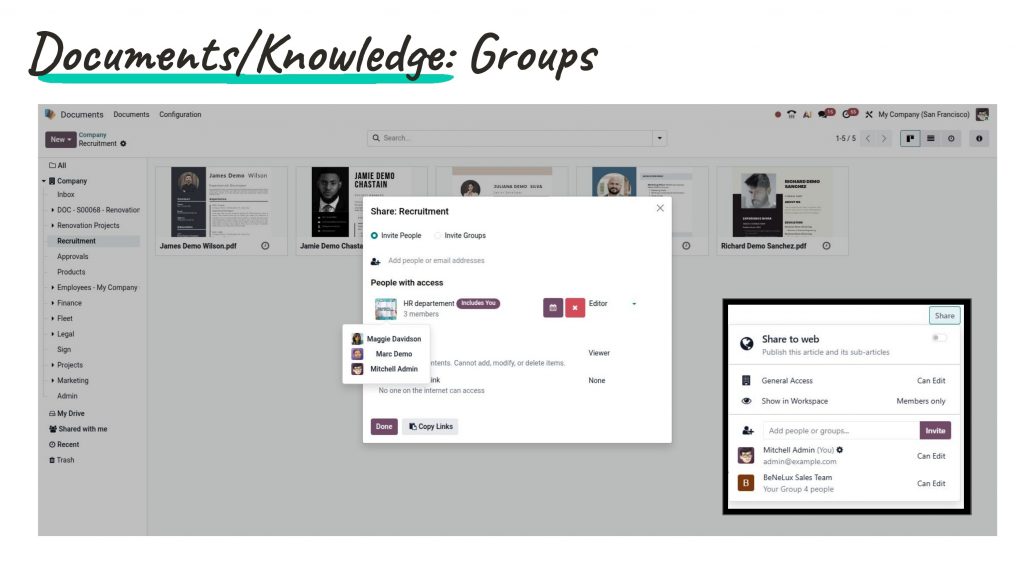
Share folders and knowledge articles with groups, not just individual users. The HR department group, the Sales Team, or any named group has a configurable Editor or Viewer access. Eliminates the administrative overhead of managing document access person by person at scale.
Odoo Sign App Updates
Sign App is now Automated & Mobile-ready
Signature requests can now be triggered through Activities and Activity Plans, embedding signature collection in any workflow automatically. Automated sign requests support dynamic and fixed signers.
Additional confirmed: Itsme identity verification for 30+ countries, font support for 40+ new countries, touch support and mobile UI for the editor, bulk export of sign answers, and automatic Odoo field updates through signed documents.
Odoo 20 Industry Verticals Updates
Six verticals, two new additions
- Hotel Management in Odoo: occupancy, channel manager (Channex), revenue management system, housekeeping, seasonal pricing.
- Odoo for Construction Industry: work item quoting with overhead costs, WBS and shopping lists in planning, subcontracting, progress-driven billing.
- Odoo for Real Estate: compatibility between Real Estate, Estate Management, and Owner Association.
- Odoo for Recruitment Firm: integrated CRM → Recruitment → Invoicing flow, applicant integration, new portal view.
- Odoo 20 New Industry Verticals confirmed: Auto Repair Shop and Custom Industrial Equipment.
Productivity Tools in Odoo 20
Spreadsheets in Odoo
=ODOO.LIST dynamic formula
A new spreadsheet formula pulls live Odoo data into a spreadsheet as a dynamic list- always current, no manual export required. Select columns, set filters, and the spreadsheet stays synchronized with your Odoo data automatically.
Polls, video call recording, layouts
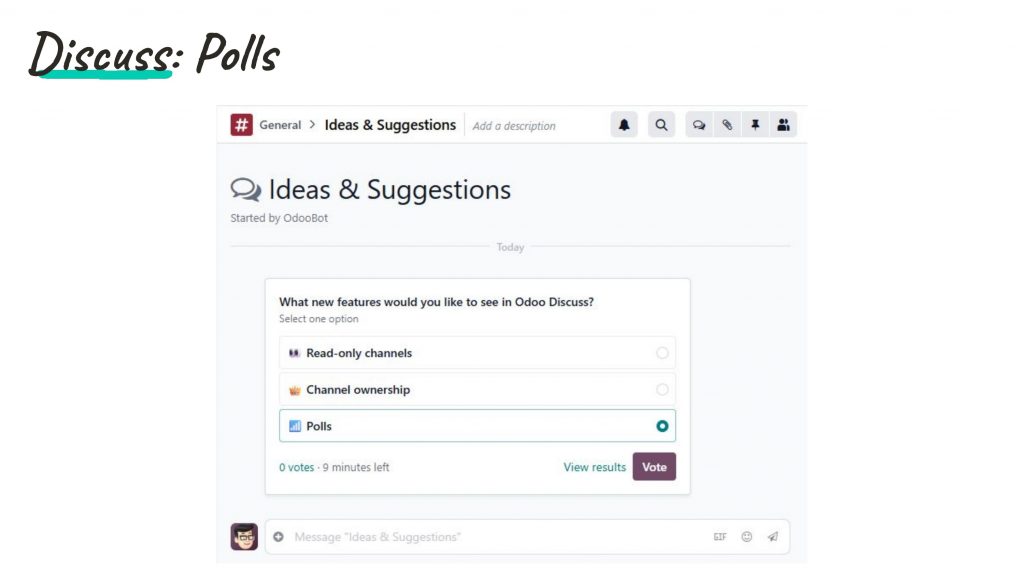
Polls can be created directly in any Discuss channel. Video calls can now be recorded, and configurable video call layouts give teams control over the visual experience.
Appointments: Slot buffering, POS floorplan integration, refreshed pages
Create availability slots visually by dragging on the calendar with slot buffering between bookings. POS Floorplan integration lets customers book specific tables (bar, terrace, interior) directly from the website. Refreshed appointment webpages, Teams meeting link support, recurrence, closing days, and capacity management improvements.
Technical Updates in Odoo Version 20
Owl 3 + JSON-2 API + in-browser PDF report editor
Owl 3 (Odoo’s JavaScript frontend framework) brings performance improvements across all views. The new External JSON-2 API replaces XML-RPC as the primary external integration method- XML-RPC enters legacy mode in v20 and is removed in v22. A new in-browser PDF report editor exposes the template source alongside a live preview.
Do I have to upgrade every year? Which version should I actually be on?
As Odoo Implementation Partner, we get this a lot during the version update and here’s our take-
You do not have to upgrade annually. Odoo maintains each major version for three years from release. Odoo 17 (2023) is supported until 2026. Odoo 18 (2024) until 2027. Odoo 19 (2025) until 2028. Skipping a version is a legitimate strategy for stable, heavily customized implementations.
The Odoo 20 consideration: both Owl 3 and the XML-RPC deprecation represent a larger-than-usual technical delta for businesses on older versions with significant custom code. Getting to v19 now may reduce the eventual migration cost more than waiting another year.
Odoo 20 Upgrade Plan based on various situation:
| Your situation | Recommended path |
| On Odoo 19, stable, light customization | Plan upgrade to v20 for Q1–Q2 2027, after first stable patch |
| On Odoo 19, heavy customization | Wait for v20 to stabilize (Q4 2026), audit modules, upgrade Q2 2027 |
| On Odoo 17 or 18, significant custom code | Consider migrating to v19 now to reduce eventual delta to v20 |
| Implementing fresh, timeline after Oct 2026 | Wait for v20 stability and implement directly on v20 |
| On NetSuite/SAP B1/X ERP and evaluating a switch | Evaluate against v19 now; v20 migration can be built into the project |
Exact features will be released during Odoo Expereince 2026 till then, stay tuned to official Odoo handles.